
Turn daily glucose readings
into a trend you can read at a glance
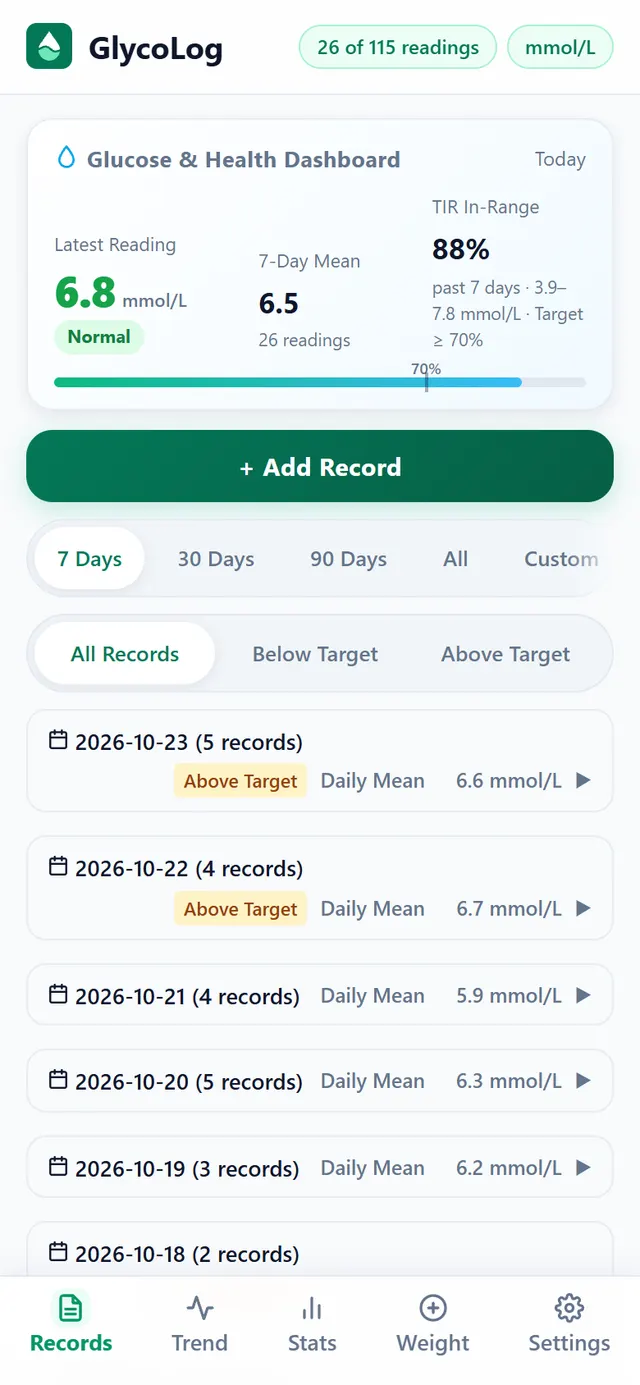
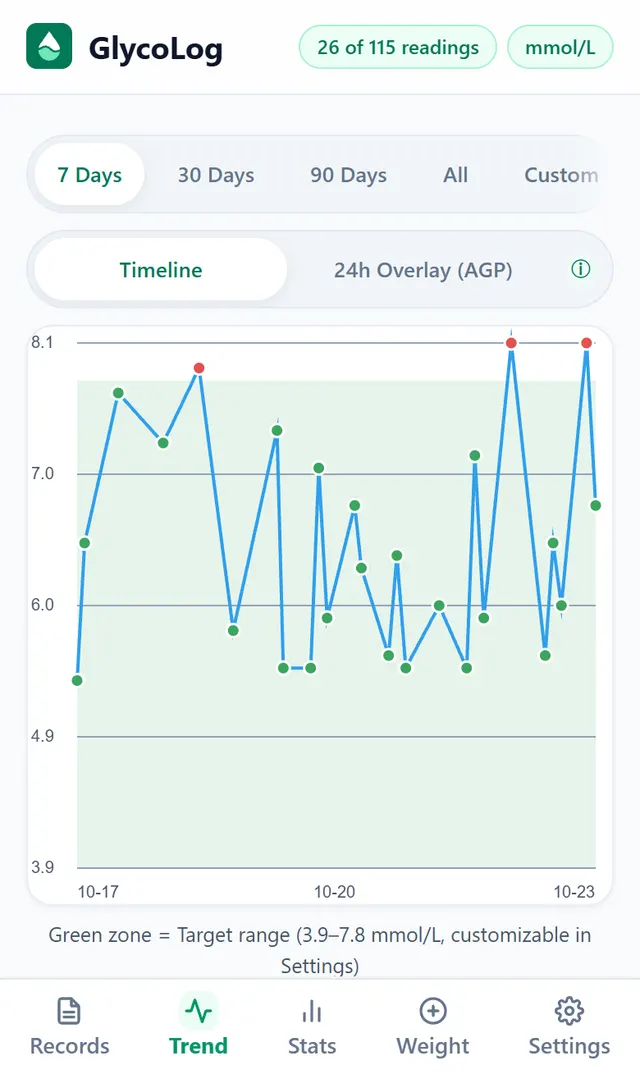
Log glucose and weight by time of day and GlycoLog draws the trend chart and works out your time in range. No sign-up: your data stays on your device, and it works without a connection.
- Data stays on your device
- Works offline
- No sign-up
TIRtime in range
App screenshots with sample data
- 9time-of-day slots, from fasting to late night
- 2display units: mmol/L and mg/dL
- 3ways to export: Excel, JSON and a visit summary
- 0accounts needed: your data stays on your device
Why we built it
A notebook keeps the numbers, not the picture
Glucose gets tested and written down every day. Writing it down is easy; seeing the whole picture afterwards is the hard part.
Last week is pages away
Handwritten readings end up on different pages. To see how a week went, you flip back and copy them out one by one.
Lots of numbers, no pattern
Readings pile up. Which time of day runs high, which days swing the most: without a chart it is hard to spot.
Scrambling before a check-up
Your doctor wants a tidy summary, not a pile of scattered numbers.
How it works
Three steps: log it, see the trend, take it to your check-up
-
Step 1
Log a reading
Pick the time of day and enter the value; that is all it takes. Add the meal, the context, insulin, medication or a note when you need to.
-
Step 2
See the trend
Switch between 7, 30 and 90 days with one tap, or stack several days into one 24-hour overlay to find the time of day that tends to run high.
-
Step 3
Take it to your check-up
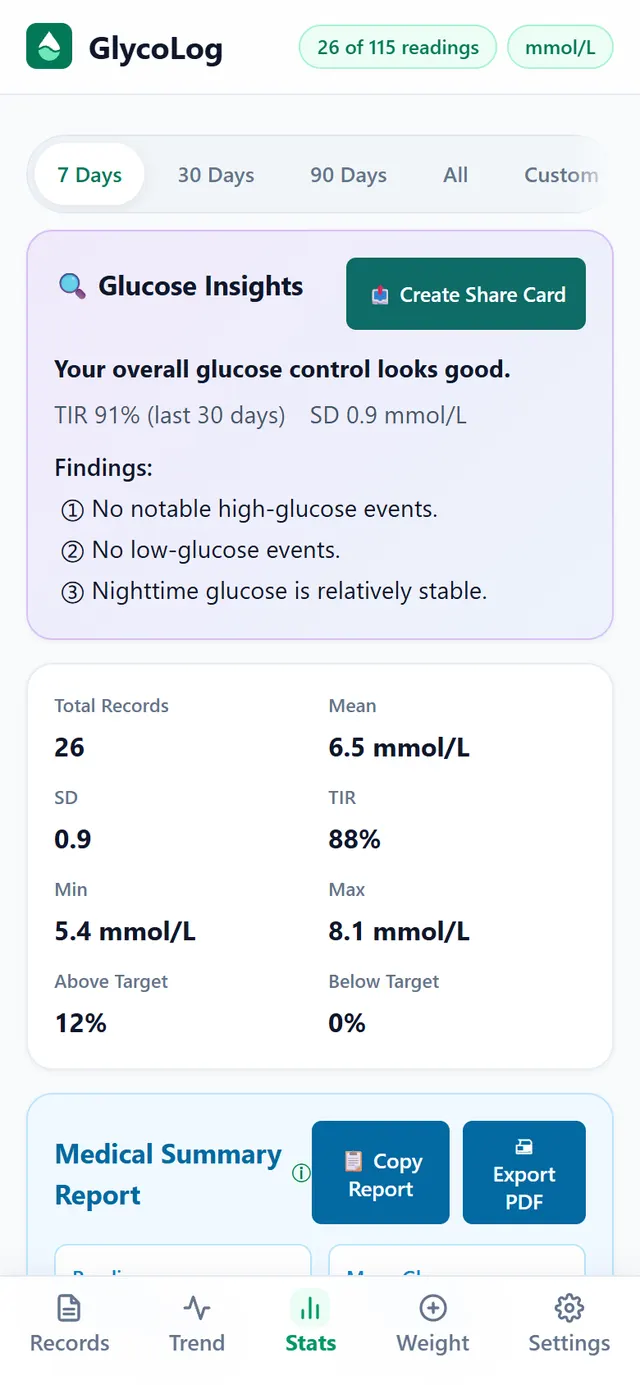
The statistics screen turns your readings into a visit summary you can copy as text, export as a PDF or share, so there is nothing to piece together the night before.
Trends and statistics
Trends and statistics, without the maths
- Your own target range3.9–7.8 mmol/L by default; change it to your own target in Settings.
- Time in range, average, spreadTIR, average, variability, highest and lowest, all on one screen.
- By time of dayCount, average and how often you were high or low, for fasting, after-meal and bedtime readings.
- Glucose insightsYour recent readings summed up in a few plain sentences: what is steady and what to keep an eye on.
- HbA1c resultsRecord your lab results too and see them next to your glucose readings.

Weight
Track your weight as well
- Weight curveEnter your weight and see how it moved over 7, 30 or 90 days.
- BMI worked out for youSet your height once; every entry after that shows your BMI and its category.
- In the same app as your glucoseNo second notebook and no second app.

Offline and private
Works offline. Your data stays on your device.
GlycoLog has no accounts and no server database. Your readings are stored on your phone and are never uploaded. The app has no analytics tools; the only third party in it is Google AdMob, which shows non-personalised ads.
Kept on your phone
Readings, weight and lab results all stay on your phone.
No connection needed
Log and look back without internet; there is nothing to sync.
Your own backups
Uninstalling the app removes its data, so GlycoLog exports .xlsx and JSON backups that you keep and import on a new phone.

FAQ
Questions you may have
Do I need to sign up or log in?
No. GlycoLog has no accounts: open it and start logging.
Where is my data stored? Is it uploaded?
On your own phone, inside the app. It is never uploaded to a server.
Will I lose my records if I uninstall or change phones?
Uninstalling removes them, so export an .xlsx or JSON backup from Settings now and then and import it on your new phone. Once you have a lot of records, the app reminds you as well.
Does it work without internet?
Yes. Logging, charts and statistics all work offline.
Does it support mg/dL?
Yes. Switch the display unit in Settings. Readings are always stored in mmol/L, so switching never changes your records.
How do I show my readings to my doctor?
Create a visit summary on the Statistics screen, then copy the text, export a PDF or share it.
Can it replace my doctor?
No. GlycoLog is for logging and organising your readings. It does not diagnose or recommend treatment; follow your doctor's advice on medication and care.