
Storage boxes · QR labels · offline inventory
What is in the box,
one scanaway
Stick a label, scan or tap, and the box's inventory opens. TagBox turns every storage box into a searchable record: what is inside and how much is left, one scan away. The data lives on your device only — no account, no cloud.
- QR + NFC tags
- Works offline
- No account
The web version is live; the Android app is in the Google Play launch process.

- 19preset categories
- 20items per box, maximum
- 5photos per item
- 6labels per A4 page
- 3location levels (room › furniture › layer)
Why TagBox
More boxes, less idea of what is in them
Moving house, swapping seasons, stockpiling — past five boxes, memory and hand-written numbers stop working.
-
The label does not match the box
A hand-written number sticks to the box with nothing in the phone to match it, so finding one thing means checking three boxes. TagBox prints the QR and the readable ID as the same HK-XXX-XXX: scan it and that box opens.
-
Inventory runs on memory
Consumables, medicine and seasonal items are noticed only when empty. Set a reorder line per item and the list warns you when the quantity drops below it.
-
Cloud inventory apps need an account and a network
Your data sits on someone else's server and nothing opens offline. TagBox keeps the inventory on your own device: no account, no third-party tracking.
Three steps
Stick, scan, search
-
1
Print the labels
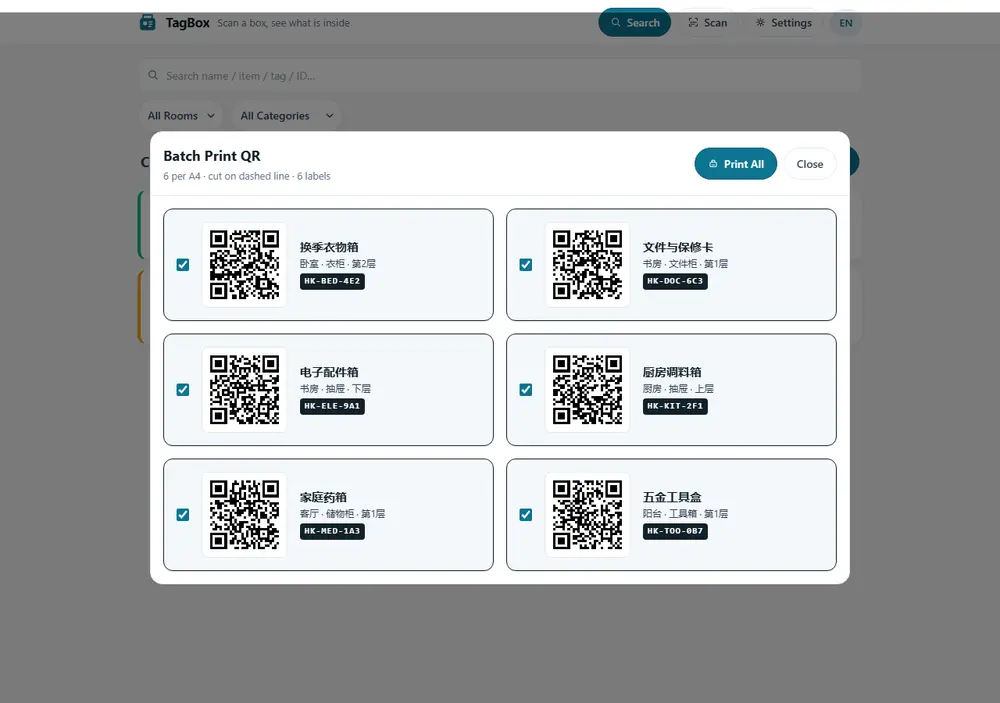
Batch print on A4: 6 labels per page, cut on the dashed line, QR and readable ID (HK-XXX-XXX) on the same label.
-
2
Scan or tap
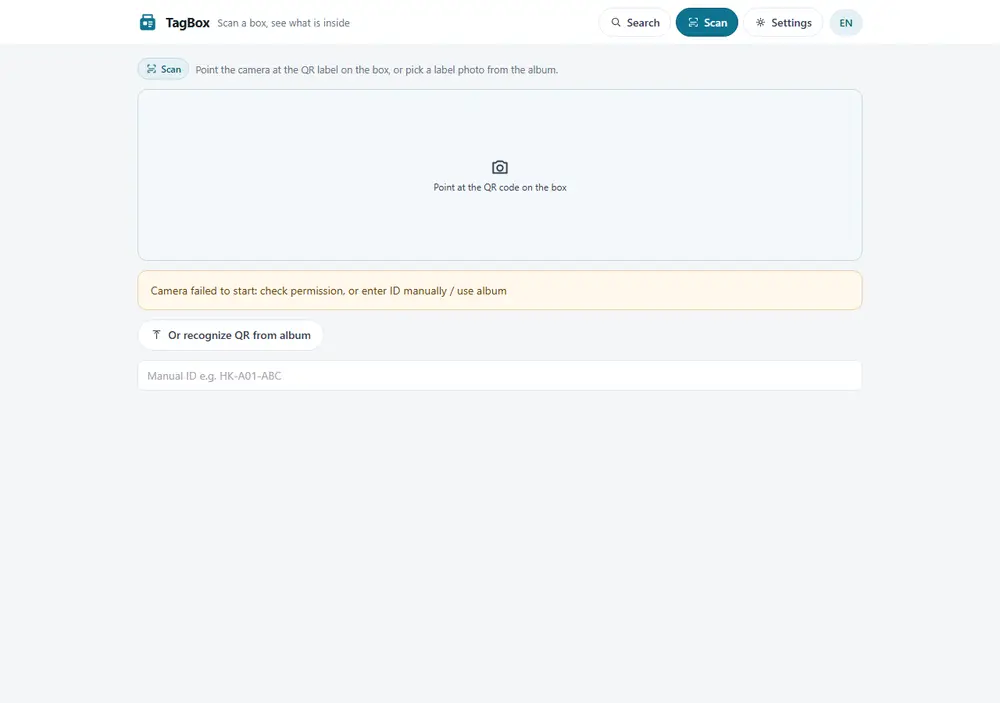
Scan the QR with the phone and that box's inventory opens. Optionally write the same ID to an NFC tag and tap it. If the scan fails, type the ID.
-
3
Search and reorder
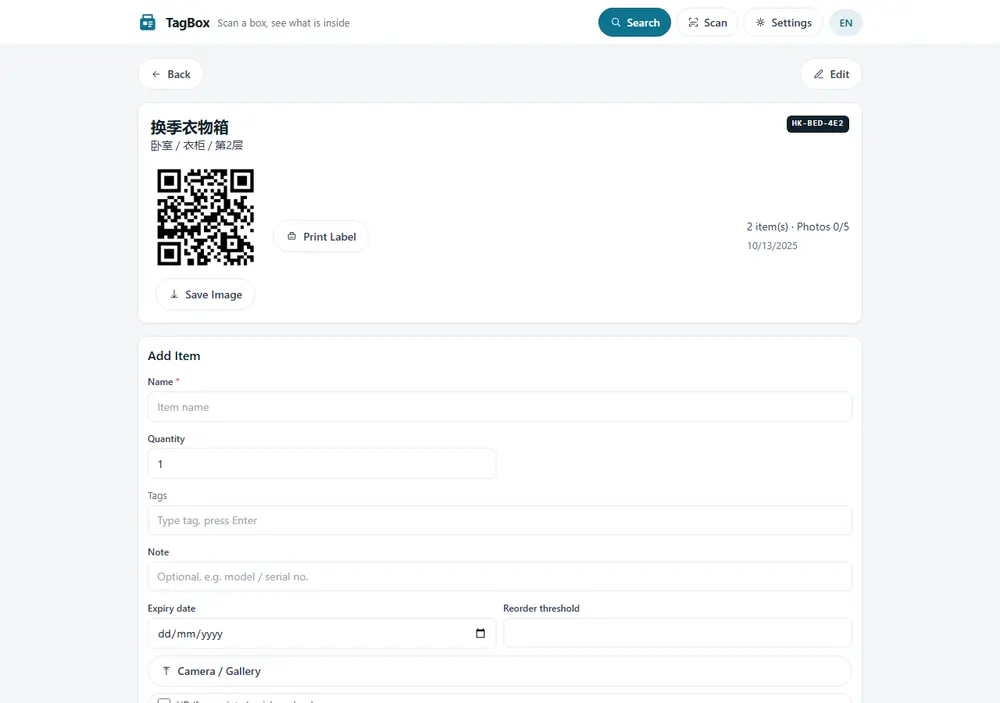
Global search finds an item and jumps straight to the box it is in, with the match highlighted; the list warns you when a quantity drops below its reorder line.
Labels
Print the whole house of labels at once
- 6 per pageA4 layout with dashed cut lines, sized to stick on a box.
- QR plus a human-readable IDWhen the camera cannot read the code, typing HK-XXX-XXX still opens that box.
- One box or all of themPrint only the boxes you select, or the whole set in one run.
Your data
Offline first, stored on your device
- No accountNo sign-up, no login, no email address.
- Works offlinePWA offline mode: open, search and edit items with no network.
- Export and importJSON export, import with version and merge semantics, and a weekly backup reminder.
- Two languagesSwitch between Chinese and English inside the app; the data stays the same.
Privacy
There is no server to leak
TagBox stores nothing in the cloud: inventories, photos and tags stay on your device. Apart from Google Play download and update traffic, there are no analytics, advertising or tracking scripts. The full policy spells it out.
- No account
- Works offline
- Export and import
FAQ
Questions about the app before it launches
Do I need NFC tags?
No. QR is the core; NFC is optional. The same ID written to an NFC tag opens the box on a tap. Devices without Web NFC support (currently some Chrome on Android) hide the button automatically.
Does it work without a network?
Yes. TagBox is a PWA: the inventory is stored on the device, so searching and editing work with no network at all.
Are there limits on boxes and items?
Up to 20 items per box, 5 photos and 10 tags per item, with 19 preset categories plus your own custom ones.
What happens when I change phones?
Export a JSON backup and import it on the new device. Import carries version and merge semantics, so the two copies do not get mixed up. A weekly backup reminder is built in.
Is the web version different from the Android app?
Same features. The web version runs in a browser and needs HTTPS for camera scanning and NFC; the Android app is on its way to Google Play.
Is any data uploaded?
No. Nothing sends inventories or photos off your device; a file is created only when you export it yourself.